How to Purchase a Plan
Purchasing a Plan
Upgrading to a paid plan is straightforward and takes just a few minutes. Follow these steps to get started.
Step-by-Step
- Visit the Pricing page — Navigate to the Pricing section from the dashboard or top navigation menu.
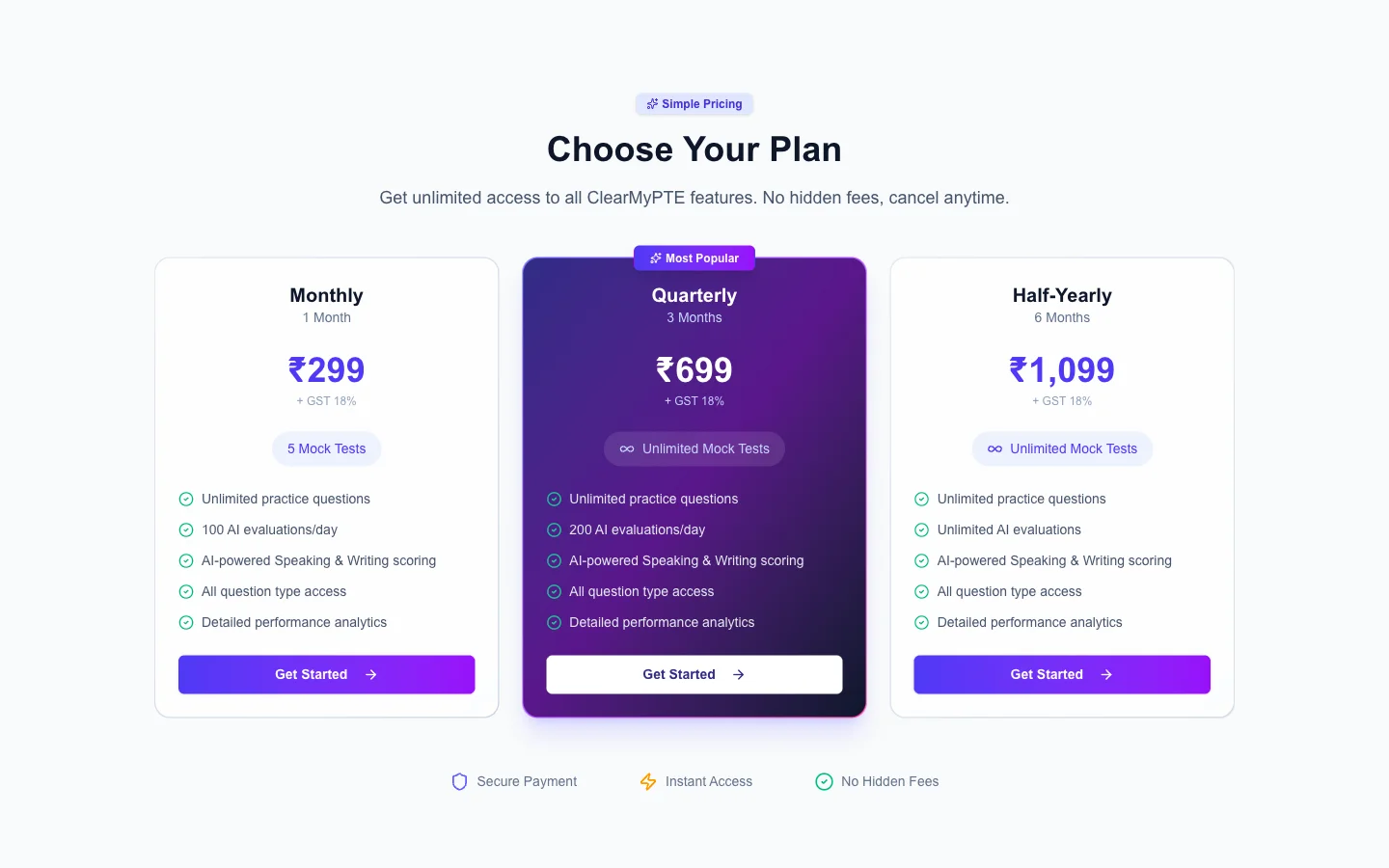
- Compare plans — Review the features, mock test allocations, and AI evaluation credits for each plan. Choose the one that best fits your needs.
- Click "Subscribe" or "Buy Now" — This opens the secure payment gateway.
- Complete payment via Razorpay — ClearMyPTE uses Razorpay for secure payment processing. You can pay using credit/debit cards, UPI, net banking, and other supported methods.
- Instant activation — Once your payment is successful, your plan is activated immediately. Your mock exams and AI evaluation credits are available right away.
Payment Confirmation
After a successful purchase, you will receive a payment confirmation message via WhatsApp to your registered phone number. This confirmation includes your plan details and transaction reference.
If your payment fails or you experience any issues during checkout, try again or use a different payment method. If the amount was deducted but your plan was not activated, please contact support — the issue is typically resolved within a few hours.