Viewing Your Score Report
Accessing Your Score Report
After completing a mock exam, your score report becomes available on the exam results page. You can access it at any time by navigating to the Mock Exams section and clicking on a completed exam.
Report Contents
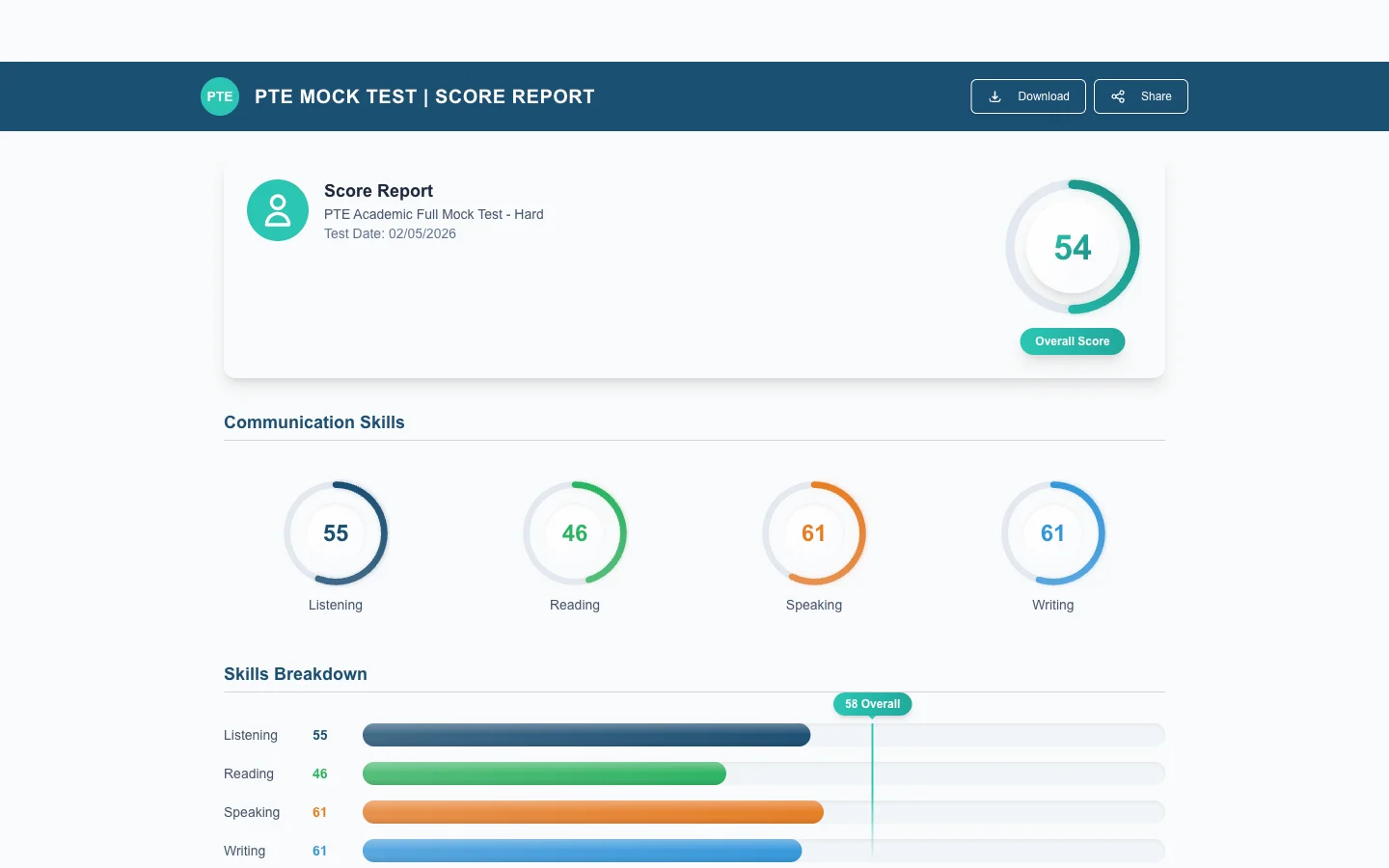
- Overall score — Your combined score across all sections on the 0-90 scale.
- Section scores — Individual scores for Speaking, Writing, Reading, and Listening presented in a clear breakdown.
- Question-level details — Expand each section to see your performance on every individual question. This includes your response, the expected answer or criteria, and the score awarded.
Using Your Report Effectively
Your score report is more than just a number — it is a diagnostic tool. Look for patterns across multiple exams. If you consistently score lower in Listening Fill in the Blanks, for example, that tells you exactly where to focus your Practice Mode sessions.
Downloading as PDF
Click the Download PDF button on the results page to save a formatted copy of your score report. This is useful for sharing with tutors, study groups, or for keeping a personal record of your progress over time.
We recommend saving your PDF reports periodically so you can compare scores across different exams and visualise your improvement journey.