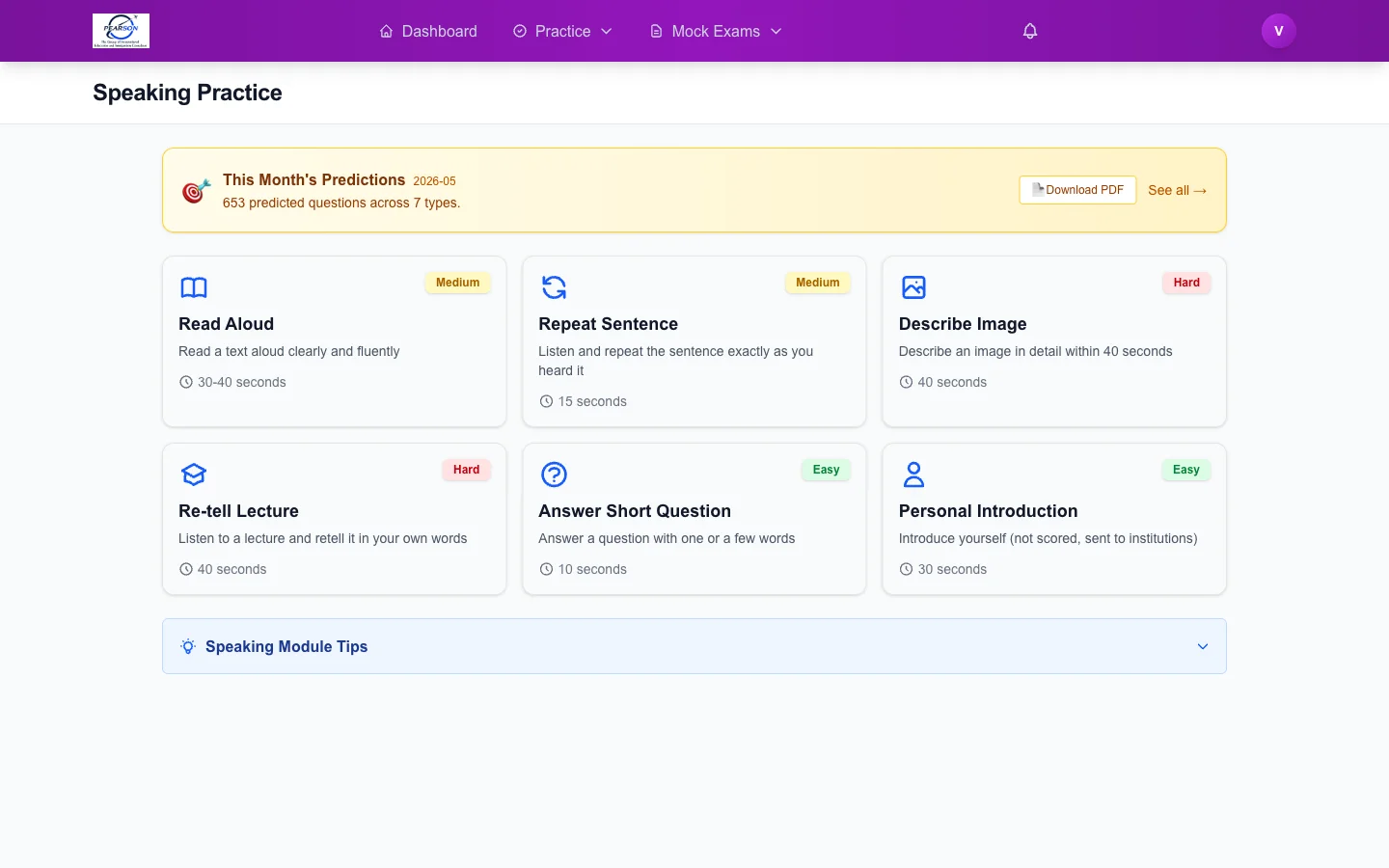
Downloading the Monthly Predictions PDF
2 min read
One PDF, Every Month
At the start of every calendar month we publish a fresh predictions PDF — one file for PTE Academic, one for PTE Core. It contains every predicted question across all four modules in a single, printable document you can study offline.
Where to Download It
There are three places on the platform where the PDF is one click away:
- Top navigation pill. Look for the orange "Predictions PDF — May 2026" pill at the top of every page once you are signed in. Click it to download.
- Practice page banner. Each module practice page (Speaking, Writing, Reading, Listening) shows a banner above the question list with a download button.
- Predicted Questions page header. When you open the dedicated Predicted Questions tab, the page header has a prominent "Download this month's PDF" button.
All three trigger the same download — pick whichever is closest to where you are working.
What's Inside
- All predicted questions for the month, organised by module and question type.
- For Speaking: prompts, image references (where applicable), and suggested answer frameworks.
- For Writing: prompts plus high-scoring sample responses.
- For Reading: full passages with answer keys.
- For Listening: transcripts and answer keys (audio is on the platform).
- A short "What's changed this month" note from the prediction team.
How to Use It Offline
The PDF is designed for review, not for first-time learning. Best workflow:
- Skim it once on day one of the month so you know what topics are coming.
- Carry it on your phone or print it for commute / lunch-break review.
- Attempt the actual scored version back on the platform so the AI evaluates your response and your predicted score updates.
Test-Type Specific
The PDF you download depends on the test type set on your Profile. Switch test type and the next download will be the matching PDF (Academic or Core).
Read the launch announcement: Predictions PDF — Monthly Download. Then grab this month's file from the practice page.