How to Register
Create Your ClearMyPTE Account
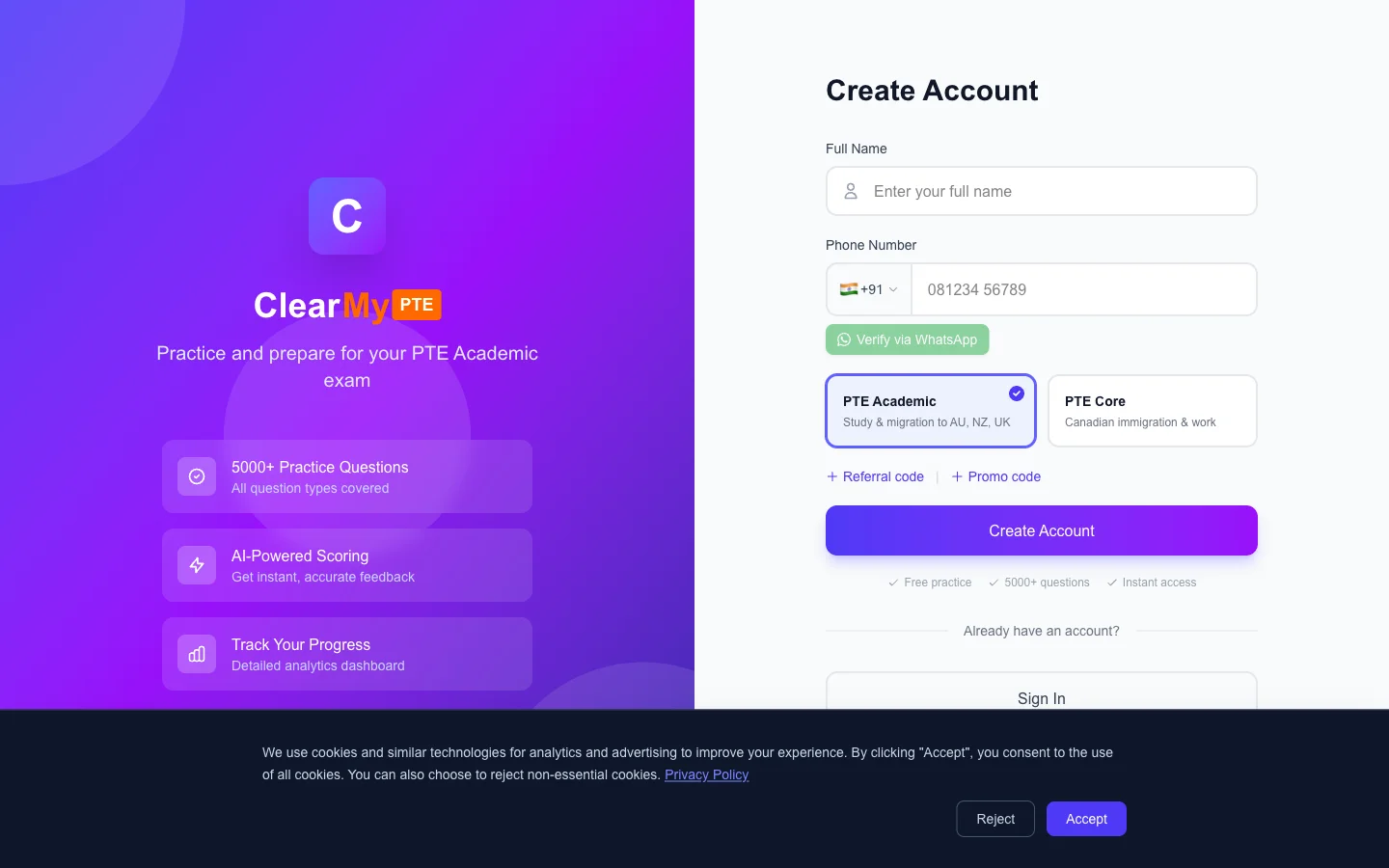
Getting started with ClearMyPTE is quick and simple. You can create your account using just your phone number — no email required. The entire process takes less than a minute.
Step-by-Step Registration
- Visit the registration page — Click "Register" from the login screen or navigate directly to the sign-up page.
- Enter your phone number — Select your country code from the dropdown (17 countries supported, including India, Australia, UK, Canada, and more) and type your phone number.
- Create a password — Choose a strong password and confirm it.
- Receive your OTP — A 4-digit verification code will be sent to your phone via WhatsApp. Make sure WhatsApp is installed and active on the number you entered.
- Enter the OTP — Type the 4-digit code into the verification screen to complete your registration.
Important Notes
Your phone number becomes your primary identifier on ClearMyPTE. Once verified, it cannot be changed, so make sure you use the correct number during registration.
Email is entirely optional during sign-up. You can add or update your email address later from your profile page if you wish to use it for login or password recovery.
If you were given a referral link by a friend, make sure you use that link to register so both of you receive bonus credits.